

 |
 |
 |
 |
 |
 |
 |
 |
 |
 |
 |
 |
 |
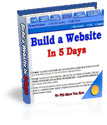
Create Your Own Web Site in 5 Days
With video enhanced tutorials
Use affordable tools and save a fortune!


Details:
Do you want your own business web site without having to spend thousands of dollars hiring someone to create one for you? Are you an online entrepreneur who's just starting out without a thousand dollar budget?
You know that a web site is essential to your online business. But you're only just starting out and you can't afford a thousand dollar web site.
Nevertheless, you still need a professional looking, fast loading web site with intergrated automated marketing tools, to be able to compete with the many others in your area of expertise.
The big question is:
How do you get hold of a professional business web site without having to burn a big hole in your wallet hiring a web developer to create one for you?
The magic answer : Do It Yourself!
Say what ???!!!
Yup! You'll just have to do it yourself.
If you want your very own professional business web site and save a fortune at the same time, this might be the most important letter you'll ever read. Creating your own web site will not just save you money, you will also gain an unbeatable feeling of satisfaction and accomplishment plus you will have complete control over your own web site. You'll know exactly how things work behind the scene. No more helplessly depending on the web designer.
My latest e-book How to Create a Web Site in 5 Days will guide you step-by-step.
WHAT WILL YOU GET EXACTLY?
* A step-by-step instructional e-book, written in simple and straight forward English, aimed at the absolute beginner.
* You can easily learn the whole process without having to undertake a web design or programming degree.
* Find out where to get a tool that will help you build a professional web site, quickly and easily without needing to learn HTML or any other computer language. And yet have the ability to be as flexible as you want it to be. Most WYSIWYG web authoring tools are too constrictive - limiting what you can do. And those that aren't, cost quite a bit. But not this one.
* No more searching high and low for the perfect tool.
* Learn how to use this tool to its highest potential. You won't just be given step-by-step instructions, you'll get access to online movie clips that will show you exactly which buttons to push.
* No more confusion, trial and error and having to read the long Help section. You'll learn all that you need to know just from the e-book and online movie clips.
* Where to go on the web to create your own logo. Get your own logo in minutes.
* Where to go on the web to get quality free images for your web site.
* How to create an eye catching sales letter. Yup! You've heard of it, you know you have to use it. You know how to create one. Now, you'll learn how to make it stand out. How to use different styles, sizes and colors, without needing to know HTML.
* How to create a simple yet full proof navigation system. You can create as big or small a navigation bar as you like.
* You will be able to keep your customers on your web site for a longer time with an easy to use navigation system. A good navigation system will also make it easy for your customers to find their way around your web site.
* How to create safe links from your site to another site without losing your prospects.
* Safe links will help you link to another web site and still keep your prospects on your own web site. No more losing prospects from links to other web sites.
Plus you will also:
* get access to online movie clips that will show you exactly how it's done .... you even see my mouse movements. No more guessing. Just watch what I've done and follow. Simple.
You get more than 10 times your money's worth!
How much would all this cost you if you hired someone to do it
for you?
Web design - 3 webpages $600
Images @ $40 per image $200
Total cost for a simple web site $800
If you can afford to throw away $800 on an online business, that hasn't proven it's worth yet, by all means go ahead. Now the $800 is only the set up costs, you still have to consider the amount of money you will have to pay each time you want to update information on your web site or install interactive scripts.
Alternatively, for as little as US$ 9.95, you can learn how to create your own web site in less than 5 days without the frustration of learning HTML and without blowing your budget to pieces.
Yup! You read it right. This is a bargain. The price of the movie clips themselves are worth more than this.
But I can remember how it was like to just start out with a budget to keep to. So, I've decided to start off with US$9.95.
But as soon as things pick up, I will have to push the price up. This could be as soon as in a few days.
So, to catch the current price, you'll have to buy soon. Very soon.
RESELL RIGHTS INCLUDED!
To make the deal even sweeter for you, I've decided to include complete resale rights. What does this mean? This means you can sell sell this e-book at any price you desire and keep 100% of the profits. Yup! All yours
Price only £2.99 or $5.25


All purchases are covered by our no quibbles money back guarantee. You are also covered by PayPal's buyer protection policy, buying from El Passo Books is 100% risk free!