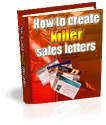







How To Create Killer Sales Letters  
 
 
Get Your Own E-Book Website - Exclusive 30% Discount!


How To Create Killer Sales Letters


How To Create Killer Sales Letters


How YOU Can Write Your Own Sales Letter That Kills - Which Produces a Minimum 2-4% Conversion Rate - And Save $10,000 From Hiring Your Own Copywriter!




Buy the entire collection!


Click here to download all of my e-books

Details:

In my step-by-step guide, I show you how you can write your own sales letter that kills without having to spend a fortune on engaging a copywriter to have the task done for you. Here are what you will discover:

  • The true concept of a sales letter that kills.

    There a lot of rumors and myths about writing sales copies and I clear the fog of doubt once and for all by slicing through the nonsense and give you all of what you need to know and understand about writing your very own powerful sales copy.

  • How to format your sales letter like a champion.

    I describe to you how you should format your sales letter and demonstrate my points by showing you some of best case studies on champion sales letters which I have picked up along the way. Someone has already done it right, so it would make sense to follow something that is already working.

  • The 5 types of headlines you should be aware of and how you can use them in your favor.

    It is said that a headline is the most important component of a sales letter, so important that it decides whether you make or lose a sale. All professional sales letter writers, knowing or unknowingly, use any or all of the 5 different headlines in their sales copies. Discover what they are, and you wouldn't find yourself guessing what qualifies as a great, attention-grabbing headline!

  • How you can address your prospect and qualify them to read your sales letter.

    Find out how you can be personal, be in touch, and understand your prospect to the fullest - even if you don't know him! This may sound absurd, but I will show you how you can understand and confirm your prospect's challenges by addressing what he is already going through that would encourage him to read your sales letter from top to bottom!

  • The myth dispelled once and for all - Long Sales Letter vs. Short Sales Letter.

    I dispell the myth about the age-old copywriting question, "Which is better? Long copy or short copy?" once and for all. Forget what you read in the free articles. If you would notice, they are mostly personal opinions. I give you the expert's advice, having written several sales copies that sell myself.

  • How you can start and end your sales letter interestingly without boring your prospect in the process.

    Even if it is a sales copy, your prospect wants to be entertained. No questions asked. Usually, the more information he gets, the better chances you have of closing your sale, because anyone would know that you obviously have more to offer in your paid product or service, and I show you do just that.

  • How to tell the difference between features and benefits.

    Most novice writers write sales letter that make them broker than yesterday and one of the main reasons are found in their failing to understand the distinctions between features and benefits. I define them in Simple English and show you multiple examples of Benefits vs. Features which you can use for your own sales copy!

  • How to collect powerful testimonials and endorsements.

    Testimonials are indeed powerful components of your sales letter. They back what you have to say or claim. I don't know of that many materials on the same subject that show you how you can gather your own collection of powerful testimonials that will back your claims in your sales letter.

  • How to persuade your customers to buy from you and close the sale!

    I describe to you how you can make your sales copy a prospect-murderer, sending their names and E-mail addresses into your customer list, by closing the sale effectively!

  • 12 *Hot* buttons to press!

    Discover all the 12 hot words you must use in your sales letter in order to tap into your prospect's desire and emotions and persuade them to act now - not later!

  • The most important questions you prospect will definitely have in mind that you must answer well.

    You don't have mind-reading abilities, but I show you the most important questions your prospect would definitely want to have answered and how you can answer them well in order to close the sales!


    And much, much, more!


Price only £3.99 or $7.75

Click Here To Buy In Pounds SterlingClick Here To Buy In US Dollars
All purchases are covered by our no quibbles money back guarantee. You are also covered by PayPal's buyer protection policy, buying from El Passo Books is 100% risk free!


Auction SOS! - Ebay Desktop Software

Home | E-Books | Free e-Books | Affiliates | Contact | Blog | Link Partners: 1 | 2 | 3 | 4 | 5 | 6 | 7 | 8 | 9 | Sitemap
2007. All Rights Reserved

Latest Blog Posts

Why is an Internet Marketing blog talking about PC security, surely this has nothing to do with me making money, I’ve a good mind to un-subscribe from all your mailing lists, call you lots of rude names, and report you to the FBI for providing misleading free information, you…..you…..der brain!

There, I got it out of the way for you, so please don’t send me any daft emails complaining about the wide range of subjects, think how boring it would be if every post talked about tracking, conversions, statistics and sales. Besides, this post is much, much more important.

As an Internet Marketer it’s vital to keep your computer in tip top shape, neglecting your computer would be like a taxi driver neglecting his car, so it’s not something you can sit back and forget about.

So as a fully qualified geek, I thought I’d show you how I secure my system, and my websites.

It’s important that you do both, a lot of people will secure their system but leave any old junk on their webspace, and vice versa – BOTH NEED PROTECTING!

As a web host, we deal with web based exploits on a daily basis, 99% of the time these are down to weak, out of date scripts that are on the account, but more on that later on. I’ll start with your computer first.

How I Secure My Computer

Yes, I said computer. I’m not nearly smug enough to have a MAC…..it’s a joke, don’t go un-subscrbing you MAC users, I love you really! But this part of the guide is aimed at those of us that are still supporting good ‘ol Billy G.

First of all we need to know what our computer needs protecting against, there are loads of different threats out there, and unfortunately it usually takes more than one program to keep you clean. No one program will ever be able to detect 100% of viruses and exploits, but we can do our best to minimize the risk by using as much protection as we can.

*Insert Naked Gun Condom Joke Here*

We need to make sure our machines are protected against Viruses, Malware, Spyware, Trojans, Keyloggers, Crapware, and loads of other cool stuff.

So without any further tasteless jokes, here’s what I use to keep me protected. And I’ll also point out that none of these links are affiliate links, infact most of the things I recommend are free!

My Anti-Virus Protection

I use NOD32 for my anti-virus protection, I’ve been using it for as long as I can remember and it’s always served me very well. There has been the odd thing that it’s missed, but no anti-virus software will ever find 100% of the threats that are out there.

NOD32 provides me with great protection (too soon to reuse the Naked Gun joke?) against Viruses, Malware, Trojans and other exploits. It protects me when I’m surfing the Internet, reading emails, or just generally larking around.

It manages to do all that in the background, without slowing the machine down, so it certainly isn’t a resource hog. (Yeah, I’m looking at you Norton)

Runs: All the time

Price: Free trial, then around $50/£30 per year

My Anti-Malware Protection

Malware does really come under the same heading as anti-virus protection, but sometimes your anti-virus software wont be able to get rid of every little trace of the Malware/Virus. So at times like this an on demand scanner can come in really useful.

For this, I use Malwarebytes Anti-Malware (free version). It allows me to run a scan at any time, and gives you that added bit of protection. It’s almost like getting a 2nd opinion when going to the Doctors, NOD32 may tell you you’re fine, but Malwarebytes may be able to tell you otherwise :-)

Runs: On demand

Price: Free (Paid version also available)

My Anti-Spyware Protection

I like this imageSpyware can be a massive pain in the….hard drive. It generally gathers information from your computer without your knowledge, and then uses that information to bombard you with advertisements. It can also be used in a much more sinister way, such as stealing credit card details and other personal information, so it’s important to be well protected.

I use Spybot Search & Destroy to keep my machine clear of Spyware. Not only does it remove any Spyware that has found its way onto my PC, it also “Immunizes” the machine from the most common threats for added piece of mine. For me, Spybot is a must have piece of software!

Runs: On demand & in background depending on the configuration

Price: Free

Anti-Crap Protection

Crap painterAnti-Crap is a technical name for all of the junk files that build up on your machine over the course of a day/week/month/eternity. These includes things like temp files, cookies, history, unused reg keys and much, much more.

Using a piece of anti-crap software is a great way to improve your PC’s performance.

To get rid of all the crap on my machine, I use CCleaner (used to be called Crap Cleaner before the PC police decided it was offensive…..).

CCleaner can be configured to run every time your PC boots up, so each time you start the day you can be safe in the knowledge that all the crap from the previous day has gone, and you can start a fresh :-)

Runs: On startup and On demand

Price: Free

So there you have it, the 4 programs I use to keep my machine clean. And just incase you missed the links, if you click on the product images above, they’ll take you off to the applicable websites.

I know a lot of you will use other programs, and I’m not suggesting those listed are any better, or worse, but it’s what I use to very good effect. Although if you do have a different configuration, feel free to leave a comment and share it with the rest of us.

I was going to go on and talk about website security, but I think that if I did, the post would drag on for a bit, so I’ll leave it there for now and I’ll talk about how to secure your websites in the next blog post.

So as always, thanks for reading and please do leave any questions of comments below.

Cheers,
Dan

Just a quick post for you today regarding John Thornhill’s
Masterclass coaching program. If you head on over to the sales page
today, you’ll notice John has added some payment plan options, so
if the lump sum is too much, these will be great for you.

BUT…..

DON’T take advantage of the payment plans before emailing me, I
*MIGHT* be able to do a cheaper deal for you. That’s all I dare say,
but “nudge, nudge, wink, wink”, contact me for more details – nothing
like a cryptic post to start the day off ;-)

My bonuses are also still live, so if you want a discount, and all
of my bonuses:

http://johnthornhills.com/marketing_masterclass/bonuses.php

Just use the contact link at the top of the page to get in touch with me.

And all of you that are asking if I’m going to get an iPad? I’ll just wait till
they come out with a sleeker version… the iTampon :-)

Regards,
Dan

As promised, I come with details of bonuses! Not just any old bonuses either, you wont find these John Thornhill Marketing Masterclass bonuses anywhere else, they are totally unique and exclusive to me.

You’ll probably know that most bonus packages will consist of some resale rights products, with a jazzed up sales page, free of charge, you may even get some PLR articles and 10,000 free pats on the back….but YOU SHOULDN’T CLAIM THEM.

Not if you are planning to take on John Thornhill’s Marketing Masterclass program anyway, and here’s why.

You are going to be taking part in a 36 week Coaching program, where you’ll have various tasks to undertake along the way. Each task will require you’re effort and concentration, you wont have time to look at your bazillion free eBooks and PLR reports, never mind do anything useful with them!

That’s why my bonus is totally different, it’s not just some random resale products thrown together at the last minute, this bonus is designed to complement John’s Masterclass course. So you’ll be taking the Masterclass course, but you’ll be using my bonus package AT THE SAME TIME!

Allow me to explain in graphical form:

I should have been an artist…..or maybe not :-/

Allow me to explain a bit more about the bonus.

The bonus I am offering, is an extra support package that will be used as you go on with the coaching, that’s not to say you don’t get support from the actual coaching you – YOU DO, and you get lots of it, but there are times when you may get an answer, but you still aren’t 100% sure what to do, or you still need more advice, or simply a 2nd opinion, and that’s where my bonus comes in.

Remember that I have full access to the Masterclass Program, and have worked with countless students who have taken then course in the past, so I know the course like the back of my hand. I’m also a professional, fully qualified, “tech guy”. Don’t believe me, take a look at the image below:

If carlsberg made hats

Here’s what each section of my “Support Suite” is all about.

Unlimited Personal Email Support & Advice

This is the most popular support option (or it has been when I’ve offered it in the past).

I’m offering you the chance to get me help and advice via email, for the full duration of the course. If there’s anything you don’t understand, need clarification on, or just need some general advice on a certain part of the course, drop me an email and you’ll have a response within a few hours.

Any of you who’ve emailed me for support in the past, know that I deliver!

Up To 5 CUSTOM Video Tutorials

This is going to be hugely popular, I can sense it!

During the course you may run into some annoying technical thing that you just can’t get right, it may be that you are having trouble positioning an opt-in form in the header of your blog, or you just can’t get the formatting on your sales page right, but you really need to know how to do it!

All you need to do is get in touch with me regarding the problem, and you’ll get your video own video tutorial, where I show you exactly what needs to be done to rectify the problem, and how you can solve it yourself in the future.

These video tutorials are created on request, and are EXCLUSIVE 1 to 1 videos, nobody else will have access to them, only the person that requests the video.

Hands On Support

I’m also offering a full hour of my time each week, for “hands on support”.

This allows you to take advantage of my experience of all things technical. All you need to do is get in touch and say:

“Dan, Why is my blog throwing up a 500 Internal Server Error message, can you fix it, my head is going to explode.”

And my response will be:

“Hi Billy-Bob, I’ve fixed the problem for you.”

Of course, you can contact me to fix any problem that requires some “hands on” assistance, it doesn’t have to be a 500 server error, but you get the picture. The hands on support allows you to contact me 24/7 to fix any issues you run into, this covers absolutely anything in the course – hosting, email, mailing lists, sales pages, html, css, and so on.

So in total, you’ve got my “hands on” service for more than 36 hours, if you were a business, and were paying for my “hands on” help, it’d cost you £1,800 (£50 an hour), but you are getting it for free, so take advantage of me ;-)

Free Boomerang List Builder

This is ONLY AVAILABLE IF YOU WILL ACTUALLY USE IT.

I wasn’t going to give away a copy of the BLB, but figured it would be a bit mean if you really did want a copy and I didn’t throw it in, but I’m only going to give it away if you are actually going to use it, I don’t want it to turn into any of those other products that you’ve got sitting on your hard drive that will never see the light of day.

If you feel it’ll distract you from the course, then I’m happy to hold it back until after the course has finished, and give it to you then.

So there you have it, full details of my bonus offer. I can’t decide if I’m stupid for offering so much of my time or not, but I’ll just have to see how it goes. If I get too many takers then I may pull the offer – there’s only so much time in a day, so please do get it whilst you can.

Here’s how to claim:

1. Join John Thornhill’s Marketing Masterclass program by clicking here. <—— You MUST click that link, if you don’t, you may not be eligible for the bonus (It launches on Tuesday, January 26th 2010)

2. Forward your receipt to: helpdesk@elpassoenterprises.com

Or use the “Contact” link on this page – they both come to the same place ;-)

3. I’ll then send you all of my contact details where you can get hold of me, the contact details are exclusive to this bonus, and all come directly into a priority inbox, so you get right to the front of the queue – no waiting for a response.

I think that’s got everything covered, all that’s left is for me to do, is to nudge you towards my Marketing Masterclass resource site if you need more information on the course:

More Marketing Masterclass Info

And do please leave a comment if you have any questions.

Regards,
Dan